Overview
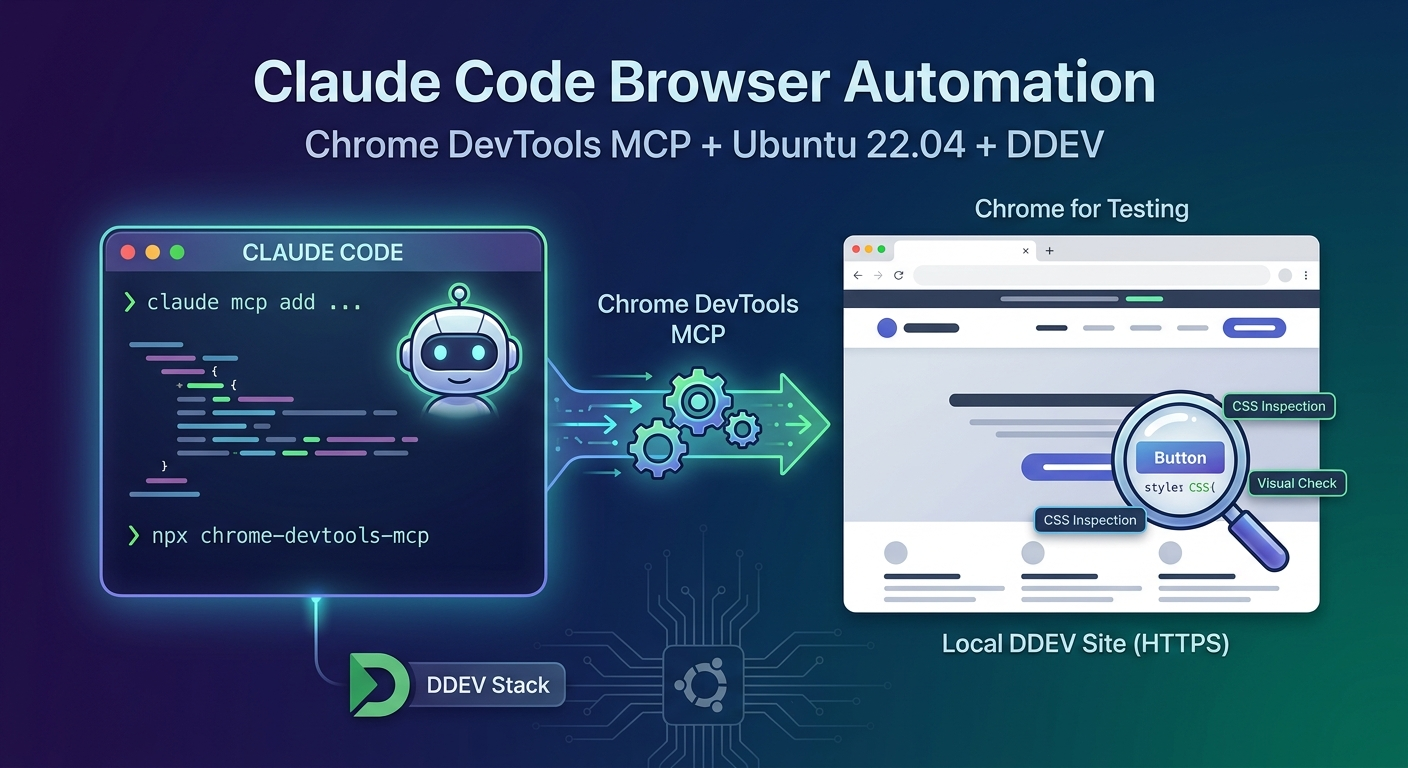
This document explains how to let Claude Code “see” and drive a real browser so it can verify frontend changes against a live DDEV site, instead of relying on curl/grep-based markup inspection. It is a step-by-step tutorial for a specific, simple machine topology:
- Ubuntu 22.04.5 LTS host — where both Claude Code and the browser run
- DDEV — Docker-based local dev stack serving one or more
https://*.ddev.sitesites
Prerequisites
- Ubuntu (any recent LTS — this was done on 22.04.5)
- DDEV with at least one project running (
ddev start), reachable over HTTPS - Claude Code installed on the host (
claudeon$PATH, e.g.~/.local/bin/claude) curlandunzipavailable (both are part of a stock Ubuntu install)mkcert‘s local CA already trusted system-wide — this is normally already true if DDEV’s HTTPS has been working in your regular browser without warnings (DDEV runsmkcert -installthe first time it needs to). Verify withmkcert -CAROOT— if that prints a path and/usr/local/share/ca-certificates/has anmkcert_development_CA_*.crtfile in it, you’re set.
Part 1 — Install Node.js on the host (nvm)
chrome-devtools-mcp runs via npx on the host, not inside a DDEV container — a project’s own containerized Node (if any) is irrelevant here.
curl -o- https://raw.githubusercontent.com/nvm-sh/nvm/v0.40.3/install.sh | bash

# nvm patches your shell rc file (~/.bashrc or ~/.zshrc). In a NEW terminal,
# or by sourcing it in the current one:
export NVM_DIR="$HOME/.nvm"
[ -s "$NVM_DIR/nvm.sh" ] && \. "$NVM_DIR/nvm.sh"

nvm install --lts
nvm alias default 'lts/*'

# verify
node --version   # v24.20.0
npm --version     # 11.19.0
Finding: this host had no Node at all before this. nvm avoids sudo entirely and keeps this Node install isolated from any project’s own dependency management.
Part 2 — Install Chrome for Testing on the host
mkdir -p ~/.local/share/chrome-for-testing
cd ~/.local/share/chrome-for-testing

# 1. Resolve the latest stable Chrome-for-Testing linux64 download URL
URL=$(curl -s https://googlechromelabs.github.io/chrome-for-testing/last-known-good-versions-with-downloads.json \
  | node -e "let d='';process.stdin.on('data',c=>d+=c).on('end',()=>{const j=JSON.parse(d);console.log(j.channels.Stable.downloads.chrome.find(x=>x.platform==='linux64').url)})")

# 2. Download and extract
curl -sL -o chrome-linux64.zip "$URL"
unzip -q -o chrome-linux64.zip
rm -f chrome-linux64.zip

# 3. Restore executable bits (zip extraction does not always preserve them)
find ~/.local/share/chrome-for-testing/chrome-linux64 -type f -exec chmod +x {} +

# 4. Sanity check
~/.local/share/chrome-for-testing/chrome-linux64/chrome --version
Real launch test against a DDEV site, before touching any MCP config
Do this before wiring up the MCP server — if a system library is missing, you want to find out here, isolated from everything else:
timeout 20 ~/.local/share/chrome-for-testing/chrome-linux64/chrome \
  --headless=new --no-sandbox --disable-gpu --dump-dom \
  "https://your-project.ddev.site/some/public/page"
Findings on this specific host (Ubuntu 22.04.5, native — not WSL2):
- No missing system libraries. The reference WSL2/Ubuntu-24.04 tutorial needed
sudo apt-get install -y libasound2t64(a package specific to 24.04’s 64-bittime_ttransition) before headless Chrome would launch at all. On this Ubuntu 22.04.5 host, the very first headless launch worked cleanly — noaptstep was needed. unzipwas already available, so the zip could be extracted directly — no need for the Pythonzipfileworkaround the WSL tutorial required (its container was missingunzip).- The DDEV certificate was already trusted.
mkcert -CAROOTshowed the CA was already in the system trust store (/usr/local/share/ca-certificates/), so--dump-domreturned the real page DOM immediately — no privacy-error interstitial. This makes sense on native Ubuntu: the same OS-level trust store Chrome for Testing reads from is the one DDEV/mkcert already populated when HTTPS first worked in your regular browser. (On WSL2, the Linux side and the Windows-hosted browser don’t share a trust store, so this had to be handled separately.)
If your own launch test does show a missing-library error or a certificate warning, resolve that specific thing before moving on — don’t pre-install anything speculatively.
Part 3 — Register Chrome DevTools MCP with Claude Code
Claude Code has an official, documented install path for this exact tool (ChromeDevTools/chrome-devtools-mcp):
claude mcp add chrome-devtools --scope user -- \
  npx -y chrome-devtools-mcp@latest \
  --headless --isolated --acceptInsecureCerts \
--executablePath ~/.local/share/chrome-for-testing/chrome-linux64/chrome| Flag | Why |
|---|---|
--scope user | Registers the server for this user across every project, not just the current repo — this is personal tooling, not something to commit to a project’s .mcp.json (an --executablePath pointing at this machine’s ~/.local/share/... would break for anyone else). Nothing in the project’s git history changes. |
--headless | No GUI/window — fine on a workstation too, since you interact through screenshots/snapshots, not a visible window. |
--isolated | Uses a temporary user-data-dir that’s cleaned up when the browser closes. Good default when the goal is visual/style verification, not persisting an authenticated session across days. Drop it if you want a persistent profile (e.g. to skip logging in every session). |
--acceptInsecureCerts | Defensive — tolerates self-signed/expired certs. Cost-free to include even if (as here) the cert is already trusted by the system store. |
--executablePath | Points at the Chrome for Testing binary from Part 2 — chrome-devtools-mcp does not bundle or auto-download a browser itself. |
Other flags worth knowing about (see docs/configuration.md in the tool’s repo): --channel (canary/dev/beta/stable, if you want to point at a real installed Chrome channel instead of Chrome for Testing), --browserUrl/-u (attach to an already-running, debuggable Chrome instead of launching a new one — the equivalent of the “visible Windows Chrome over CDP” alternative some tutorials use), --viewport, --logFile, --proxyServer.
Real gotcha hit here: Claude Code’s process doesn’t see your shell’s PATH
claude mcp add chrome-devtools --scope user -- npx -y chrome-devtools-mcp@latest ... (using a bare npx, relying on $PATH) failed:
✘ Failed to connect — ENOENT: Executable not found in $PATH: "npx"Cause: nvm modifies your interactive shell’s startup file (~/.zshrc here). Claude Code’s own process was already running and doesn’t re-source that file, so it never saw nvm’s PATH additions — this has nothing to do with WSL, it’s simply that Claude Code’s process environment is separate from your terminal’s.
Using npx‘s absolute path instead got further, but then failed differently:
/usr/bin/env: 'node': No such file or directoryCause: npx‘s own script has a #!/usr/bin/env node shebang. Even with npx’s own path fully qualified, env still resolves node by searching $PATH — and node‘s directory wasn’t there either.
Fix: symlink node, npm, and npx into ~/.local/bin/ — a directory that is already on Claude Code’s base PATH (it’s where the claude binary itself resolves from, so it’s guaranteed to be present without depending on any shell rc file being sourced):
ln -sf "$(dirname "$(nvm which default 2>/dev/null || echo ~/.nvm/versions/node/*/bin/node)")"/node ~/.local/bin/node
ln -sf "$(dirname "$(nvm which default 2>/dev/null || echo ~/.nvm/versions/node/*/bin/node)")"/npm  ~/.local/bin/npm
ln -sf "$(dirname "$(nvm which default 2>/dev/null || echo ~/.nvm/versions/node/*/bin/node)")"/npx  ~/.local/bin/npx

# or, more simply, once you know the exact version installed:
ln -sf ~/.nvm/versions/node/v24.20.0/bin/node ~/.local/bin/node
ln -sf ~/.nvm/versions/node/v24.20.0/bin/npm  ~/.local/bin/npm
ln -sf ~/.nvm/versions/node/v24.20.0/bin/npx  ~/.local/bin/npx
After that, claude mcp remove chrome-devtools --scope user + re-running the claude mcp add command above (now resolving npx via the base PATH, which in turn resolves node the same way) connected successfully:
claude mcp list
# chrome-devtools: npx ... - ✔ Connected
This symlink approach is preferable to hardcoding nvm’s version-specific path into the MCP command itself (/home/you/.nvm/versions/node/v24.20.0/bin/npx) — a later nvm install --lts that bumps the default version wouldn’t silently break the MCP registration, since the symlinks can just be refreshed independently.
Part 4 — Restart Claude Code, then verify
Claude Code (like most MCP clients) loads MCP servers at startup. If you added the server mid-session, its tools will not appear until you restart — close and reopen the app/window (or start a fresh session).
Once restarted, the tools appear as mcp__chrome-devtools__* — navigate_page, take_screenshot, take_snapshot, list_console_messages, list_network_requests, evaluate_script, click, fill, wait_for, and more (28 tools in the version used here).
Authenticating against a real Drupal/DDEV site
No CAPTCHA-disabling step was needed for this project (plain Drupal core login, no reCAPTCHA) — the practical equivalent here is generating a one-time login link and navigating straight to it:
ddev drush uli --uri=https://your-project.ddev.site
# → https://your-project.ddev.site/user/reset/<uid>/<timestamp>/<hash>/login
Then simply navigate_page to that URL — Drupal logs the session in and redirects. The link is single-use, so generate a fresh one each session if the previous one may already have been consumed.
A representative smoke test (what was actually run here)
navigate_page → https://your-project.ddev.site/user/login
list_console_messages → <no console messages found>
take_screenshot
evaluate_script → read getComputedStyle(...) on a real element
This is more than a health check — it caught a real, previously-undetected bug within the very first real page load: a themed button was rendering Bootstrap’s default blue instead of the project’s brand color, because Bootstrap 5.3’s component classes (.btn-primary, etc.) don’t inherit from the root --bs-primary CSS variable the way a grep over the aggregated stylesheet had suggested — each component defines its own hardcoded local variables. evaluate_script reading the actual computed background-color surfaced this immediately; no amount of curl + grep inspection would have.
Takeaway: treat evaluate_script/take_screenshot as a first-class verification step for any visual/CSS change, not just a way to eyeball things — reading real computed styles catches classes of bugs that markup/source inspection structurally cannot.
Key findings & pitfalls (summary)
| # | Finding | Impact |
|---|---|---|
| 1 | Native Ubuntu has no host/browser boundary to cross | Skips nearly all of the WSL2-specific setup complexity |
| 2 | Host had no Node at all | Installed via nvm (no sudo) |
| 3 | No missing system libraries needed for headless launch | No apt step required on this Ubuntu 22.04.5 host (contrast with the libasound2t64 needed on 24.04) |
| 4 | unzip was already present | No Python zipfile workaround needed |
| 5 | mkcert’s CA was already in the system trust store | --acceptInsecureCerts kept only as a zero-cost safety net, not a hard requirement |
| 6 | Only a snap-packaged Chromium was pre-installed | Deliberately not used — snap confinement is a known source of CDP friction; installed Chrome for Testing instead |
| 7 | Claude Code’s process doesn’t inherit your shell’s PATH | claude mcp add npx ... fails with ENOENT unless an absolute path is used |
| 8 | npx‘s shebang re-resolves node via $PATH independently | Absolute-pathing npx alone isn’t enough — node needs to be reachable too |
| 9 | ~/.local/bin is on Claude Code’s base PATH | Symlinking node/npm/npx there fixes both PATH issues at once, without touching shell rc files or hardcoding a version-specific nvm path |
| 10 | MCP servers load at Claude Code startup | Must restart the app/session after claude mcp add before new tools appear |
| 11 | evaluate_script against computed styles found a real bug immediately | Component-local CSS variables not inheriting from theme root variables — invisible to source/markup grep, obvious on first real render |
After a reboot / fresh start
Everything lives on the host filesystem and survives reboots — nothing needs reinstalling:
| Component | Location | Persists |
|---|---|---|
| Node / nvm | ~/.nvm (v24.20.0) | ✔ |
| Chrome for Testing | ~/.local/share/chrome-for-testing/ | ✔ |
node/npm/npx symlinks | ~/.local/bin/ | ✔ |
| MCP server registration | ~/.claude.json (user scope) | ✔ |
| Browser session/profile | not persisted — --isolated was chosen, so each Claude Code session starts a fresh Chrome profile | by design |
Startup checklist:
# 1. Bring up whichever DDEV project(s) you need
ddev start

# 2. Start/restart Claude Code — the chrome-devtools MCP server auto-spawns
#    (enabled by default once registered), and headless Chrome launches
#    lazily on the first browser tool call. No per-session browser setup.
Then just ask Claude to navigate somewhere — e.g. “open the login page and check the console for errors.”
Troubleshooting
| Symptom | Fix |
|---|---|
ENOENT: Executable not found in $PATH: "npx" | Claude Code’s process doesn’t see your shell PATH — use an absolute path for npx, or (better) symlink node/npm/npx into ~/.local/bin |
/usr/bin/env: 'node': No such file or directory | Same root cause as above, one layer deeper (npx’s own shebang) — same fix |
Chrome launch fails with a missing .so error | A system library is genuinely missing on your distro/version — apt-get install the specific package named in the error, not a bulk set of “just in case” packages |
| A privacy/certificate-error page instead of real content | The DDEV cert isn’t trusted — check mkcert -CAROOT and that its CA is in /usr/local/share/ca-certificates/, or fall back to --acceptInsecureCerts |
New MCP tools don’t show up after claude mcp add | Config is only read at startup — restart Claude Code (or start a new session) |
claude mcp list shows the server but tools are still missing | Same as above — a list/add succeeding is a config-file check, not proof the current session has loaded it |
| A themed color/style doesn’t look right on screenshot but the CSS “should” be correct | Read the actual computed style (evaluate_script + getComputedStyle), don’t trust source-level grep — component frameworks (Bootstrap 5.3 here) can define component-local variables that don’t inherit from theme-level ones |
Security & operations notes
- Everything runs locally on the host; nothing about this setup sends data anywhere beyond what the target DDEV site itself would (no external CrUX/telemetry endpoints were configured either way).
- The MCP server is registered at
--scope user, not--scope project— it is not part of this (or any) repository’s version control, and won’t be installed for anyone else who clones a project. --isolatedmeans no authenticated session/cookie is retained between Claude Code restarts — each session that needs to be logged in generates (or is given) a fresh one-time login link.- Chrome for Testing should be refreshed periodically by re-running Part 2 (it always resolves “latest stable” at download time).
Verification checklist
- [ ]
node --version→ resolves on the base PATH (~/.local/bin/nodesymlink), not just inside an nvm-sourced shell - [ ]
~/.local/share/chrome-for-testing/chrome-linux64/chrome --versionruns without error - [ ]
claude mcp listshowschrome-devtools ... ✔ Connected - [ ] After restarting Claude Code,
mcp__chrome-devtools__*tools are available (verify via a tool-search or by attempting to call one) - [ ] Claude can
navigate_pageto a real*.ddev.siteURL and get real content back (not a certificate warning) - [ ]
list_console_messagesreturns cleanly (or shows real, expected messages) for a known-good page - [ ]
take_screenshotproduces a real, readable image of the page - [ ]
evaluate_scriptcan read a computed style back from the page — this is the check that actually caught a real bug on this project on the very first try